
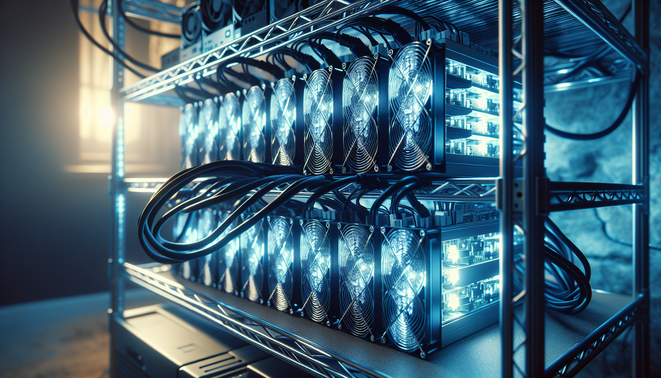
How to Secure and Maintain Your Cryptocurrency Mining Equipment at Home
Securing and maintaining your cryptocurrency mining equipment at home is essential to ensure consistent performance, prevent downtime, and extend the life of your hardware. This comprehensive guide covers best practices, security measures, and routine maintenance tasks for home miners, with useful resources to help both beginners and experienced miners.
Snippet answer: To secure and maintain your cryptocurrency mining equipment at home, set up your hardware in a safe, cool, and well-ventilated area, regularly clean components to prevent dust buildup, monitor device temperature and performance, use surge protectors and stable power sources, and apply physical and network security measures to protect against theft and cyber threats.
What Is Cryptocurrency Mining Equipment Maintenance and Security?
Cryptocurrency mining equipment maintenance refers to the regular actions taken to keep mining hardware, such as ASIC miners and GPUs, operating efficiently and safely. This includes cleaning, monitoring, updates, and repairs. Security involves protecting this equipment from physical threats like theft and damage, as well as cybersecurity risks, including unauthorized access and data breaches.
Why Securing and Maintaining Your Mining Equipment Matters
Mining equipment represents a significant investment in terms of cost and electricity consumption. Proper maintenance ensures optimal hash rates and reliability, minimizing downtime and repair costs. Meanwhile, security measures safeguard this investment from theft, accidental damage, and hacking attempts that could otherwise lead to financial losses.
How to Secure and Maintain Cryptocurrency Mining Equipment at Home
1. Choose the Right Location
Place your mining equipment in a location that is cool, dry, and well-ventilated to prevent overheating. Avoid areas exposed to direct sunlight, moisture, or excessive dust. Adequate airflow is critical to maintain safe operating temperatures.
2. Implement Physical Security Measures
Use lockable cabinets or cages to store your mining rigs, especially if you live in a shared or accessible space. Consider installing security cameras and alarms to deter theft. Restrict physical access to trusted individuals only.
3. Use Reliable Power Solutions
Protect your mining setup from power surges and outages using uninterruptible power supplies (UPS) and surge protectors. Stable power delivery helps prevent hardware damage and unexpected shutdowns.
4. Establish Network Security
Secure your mining devices on a private network with strong passwords and firewall protection. Keep firmware updated and disable unnecessary services to reduce vulnerabilities. Consider VPN usage where applicable.
5. Routine Cleaning and Dust Management
Regularly clean your mining equipment using compressed air or gentle brushes to remove dust from fans, heat sinks, and electronic components. This helps maintain cooling efficiency and prevents hardware failure.
6. Monitor Temperature and Performance
Use software tools or hardware monitors to keep track of your equipment’s temperature, hash rate, and error rates. Immediate detection of abnormalities allows prompt interventions to avoid damage.
7. Schedule Regular Software Updates and Backups
Keep your mining firmware and associated software up to date to benefit from security patches and performance improvements. Back up configuration settings where possible to simplify recovery in case of failure.
Pros and Cons of Home Mining Equipment Security and Maintenance
Pros
- Improved equipment lifespan and performance consistency.
- Reduced risk of downtime and costly repairs.
- Enhanced protection from theft and cyberattacks.
- Better energy efficiency through optimal operating conditions.
Cons
- Initial setup may require investment in security devices and cooling solutions.
- Ongoing time commitment for maintenance and monitoring.
- Potential technical challenges for less experienced users.
Community Support and Resources for Home Miners
Platforms like OneMiners and AsicProfit provide insights, detailed guides, and best practices on setting up and maintaining mining equipment at home. The MinerBoxes community also offers user-generated tips and troubleshooting advice valuable for consistent mining operations.
Frequently Asked Questions (FAQ)
How often should I clean my mining equipment?
It is recommended to clean your mining hardware at least once a month or more frequently in dusty environments to prevent dust accumulation and overheating.
What is the best way to secure mining equipment from theft?
Using lockable cabinets, surveillance cameras, and limiting physical access are effective physical security measures to reduce the risk of theft in a home setup.
Can software updates affect mining performance?
Yes, keeping your mining firmware and software updated can improve performance and security, but always test updates carefully as some changes might impact stability.
Is it necessary to monitor mining rig temperature?
Monitoring temperature is crucial to prevent overheating, which can damage hardware and reduce mining efficiency.
Where can I find reliable information about mining equipment maintenance?
Trusted resources include OneMiners, AsicProfit, and community sites like MinerBoxes that specialize in home mining advice.